
Delete Your Account and Associated Data
Instructions for Class Retriever from Smart Data Apps
Any user who has a Class Retriever account may delete their account within the app at any time.
- Log into the Class Retriever app on your mobile device and go to the My Profile button at the bottom of your screen.
- On the My Profile page, select “Delete My Account” to delete your user account.
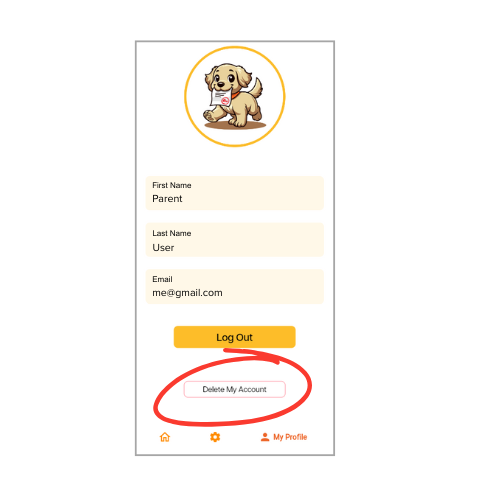
Upon user account deletion, all user account information that is maintained by Class Retriever on Class Retriever servers will be deleted, to include User Email, User First Name, User Last Name, and Unique User ID.
Class Retriever does not maintain student Google Classroom data such as Class, Assignment, Assignment Due Date, or Submission Status on Class Retriever or Smart Data Apps servers. That information exists only on the user’s mobile device.