
Reconnecting a deleted student
Do you want to reconnect a student whom you deleted from Class Retriever?
To reconnect, the student will first have to remove their connection from their Google account to Class Retriever.
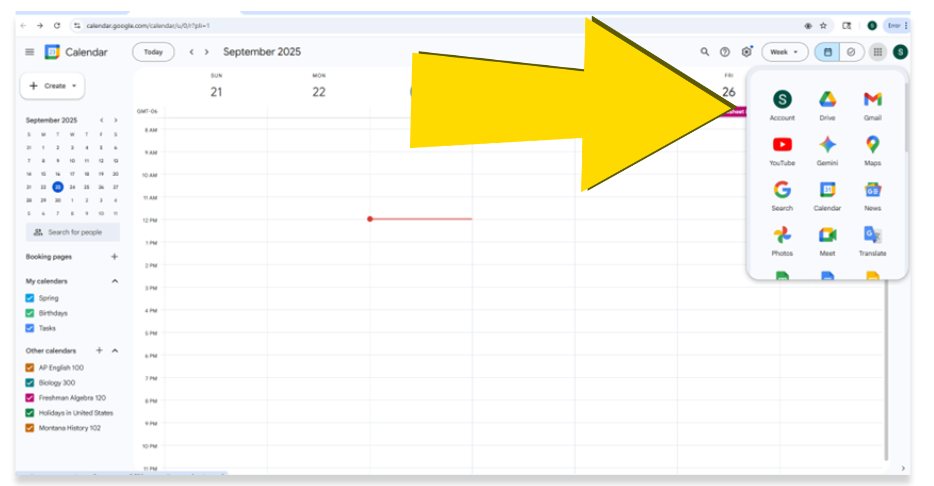
Step #1: Go to the student’s Google account using the menu (cluster of dots) in the upper right-hand corner of Google in a web browser.
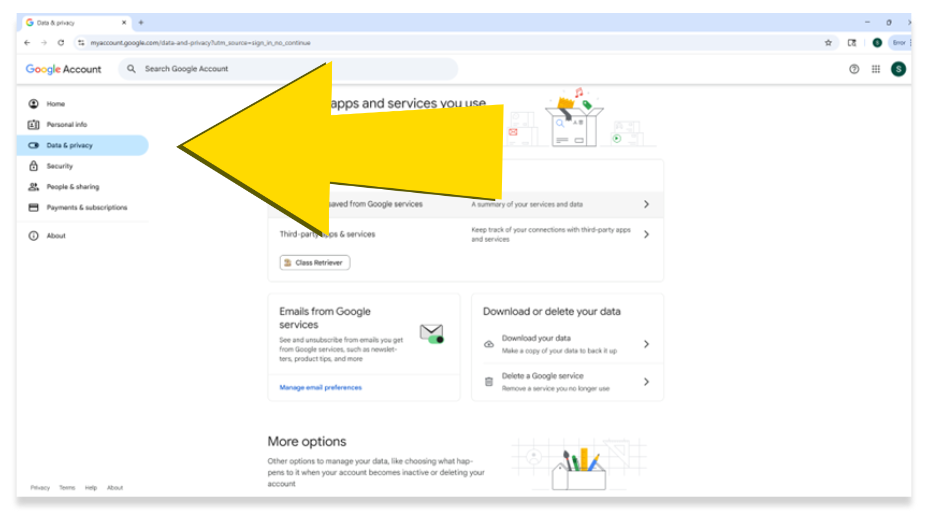
Step #2: Select “Data and Privacy.”
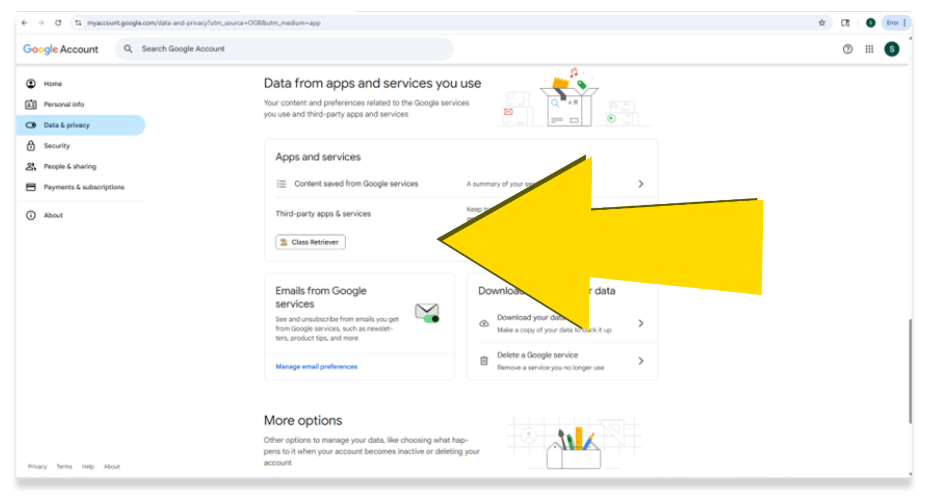
Step #3: Scroll down to where you see Class Retriever listed under “Data from apps and services you use.”
Step #4: Select Class Retriever then click on “Delete all connections you have with Class Retriever.”
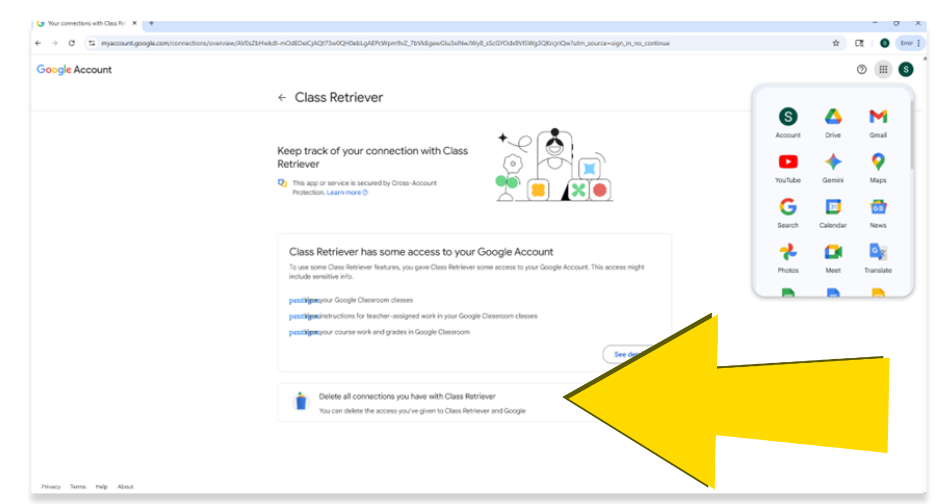
After you confirm that you want to delete the connection to Class Retriever, you’ll be able to set up your student in Class Retriever once again!